


How to Choose the Right Print Broker Software
Running a print brokerage comes with a unique set of challenges. You are managing customer orders, coordinating with multiple vendors, tracking margins, and trying to deliver a smooth experience — all without owning a single press.
The right print broker software can handle a large part of this complexity for you. But not every solution is built the same way. Choosing the wrong one means paying for features you do not need, or missing the ones you do.
This guide breaks down what to look for when evaluating print broker software so the decision is clearer.
What Is Print Broker Software?
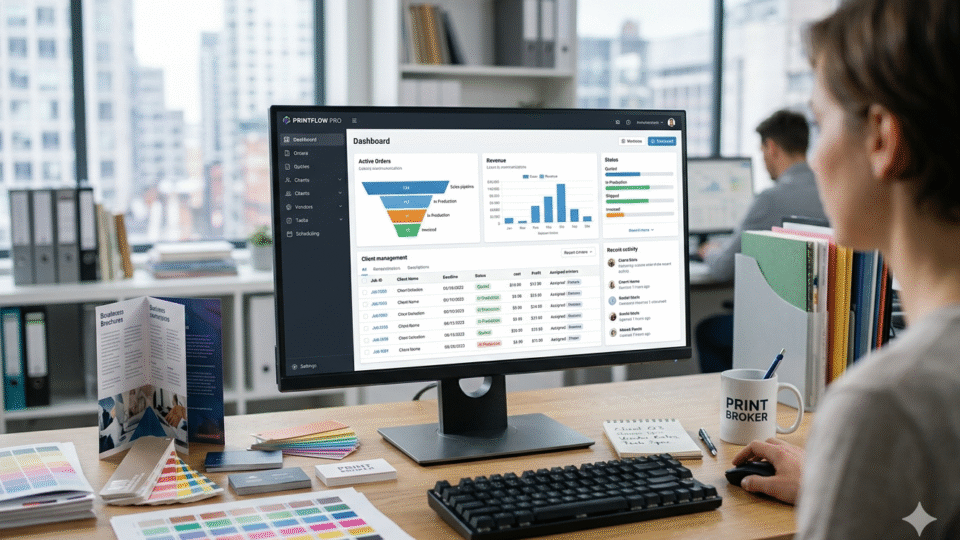
Print broker software is a platform that helps print brokers manage the full order cycle — from customer storefront to vendor fulfillment — without owning production equipment.
At its core, it connects three things: the customer who needs print, the broker who manages the relationship, and the vendor who actually produces the job.
A good platform handles all the coordination between these three parties automatically. It gives customers a professional buying experience, gives brokers visibility and control, and routes orders to the right vendors with minimal manual effort.
Why Generic Business Software Does Not Work for Print Brokers
Many brokers start out using a combination of spreadsheets, email, and generic project management tools. This works at a small scale, but it breaks down quickly.
The print industry has very specific requirements. Orders involve custom artwork, print specifications, substrate selections, and variable pricing based on quantity. Generic tools were not designed for any of this.
When order volume grows, the manual work becomes unmanageable. Vendors get called individually. Quotes are compared one by one. Margins are tracked manually. Mistakes happen, and they are costly.
Purpose-built print broker software is designed to eliminate this manual overhead from the start.
Key Features to Look for in Print Broker Software
1. A Branded eCommerce Storefront
The storefront is where clients place orders. It should look and feel like it belongs to the broker, not a third-party platform.
A white-labeled storefront under a custom domain gives the business a professional image. Customers should be able to browse products, customize designs, upload artwork, get instant pricing, and complete checkout — all in one place.
A branded experience also builds trust. Clients do not need to know which vendors are fulfilling the orders behind the scenes.
2. Vendor Network Integration
Managing multiple vendor relationships manually is one of the biggest time drains in print brokering. Good print broker software comes with pre-built connections to major vendors, so inventory, pricing, and purchase orders can be handled automatically.
The key things to check here:
- How many vendors does the software connect to?
- Is inventory pulled in real time or updated on a delay?
- Can purchase orders be generated automatically when an order is placed?
- Is it possible to add custom vendors that are not part of the default network?
The more automated this layer is, the less time is spent on vendor coordination per order.
3. Automated Order Routing
Once a customer places an order, someone has to decide which vendor should fulfill it. In manual workflows, this decision takes time and often relies on habit rather than data.
Automated order routing solves this. The software applies rules — based on price, stock availability, delivery location, or turnaround time — and selects the best vendor for each order automatically.
This speeds up the process and often reduces cost per order, since the system can evaluate all vendors at once rather than defaulting to a familiar one.
4. Margin Management Tools
Protecting margin is one of the most important tasks in print brokering. Without clear visibility into what is being paid to vendors versus what is being charged to customers, it is easy for profitability to erode.
Look for software that allows margin rules to be set at the product level, the vendor level, or the customer tier level. The system should calculate the markup automatically and flag any order that falls below a minimum margin threshold before it is confirmed.
Reporting tools that break down margin by vendor, product, or customer over time are also important. They help identify where the business is most and least profitable.
5. B2B Customer Portals
Many print brokers serve corporate clients who place repeat orders for branded materials. These clients often need more than a standard eCommerce experience.
B2B customer portals allow corporate buyers to log in to a dedicated, pre-configured environment. They see only the products approved for their account, can track order history, and may have budget controls or approval workflows built in.
This self-service model reduces the amount of back-and-forth between the broker and the client on repeat orders.
6. An Embedded Product Design Tool
A product design tool lets customers configure and personalize products directly in the browser. They can upload artwork, place text, choose design elements, and see a preview before they order.
For a print broker, this is valuable for two reasons. First, it reduces the number of customer service interactions needed to collect artwork and specifications. Second, it ensures the artwork collected is usable, since the tool can check for resolution and bleed requirements automatically.
The design tool should be embedded within the storefront, not a separate application the customer needs to navigate to.
7. Analytics and Reporting
A print brokerage is a data-driven operation. The software should provide clear visibility into how the business is performing.
Useful reports include revenue by customer, margin by vendor, order volume over time, and fulfillment speed by supplier. This data helps make better decisions about which vendors to prioritize, which products to expand, and where operational gaps exist.
Deployment Options: Cloud vs. On-Premise
Most print broker software is available in two deployment formats.
Cloud-based solutions are hosted and managed by the software provider. They are faster to set up, require no internal IT infrastructure, and are updated automatically. This is the right choice for most brokers who want to get operational quickly.
On-premise solutions are installed on the broker’s own servers. This gives full control over data and allows for deeper customization of the codebase. It suits larger operations with specific integration requirements or strict data policies.
When evaluating software, it is worth asking whether both options are available, and what the cost and timeline difference looks like between them.
Questions to Ask Before Committing
Before finalizing a decision on print broker software, it helps to work through a practical checklist:
- Does the software support the specific product categories in the current catalog?
- How many vendors are available through the built-in network, and are existing vendor relationships supported?
- Is the storefront fully white-labeled, or does it show any third-party branding?
- How is margin calculated, and can rules be set per product or per customer?
- What does the order routing logic look like, and how customizable is it?
- Is there a mobile-responsive storefront for customers ordering from their phones?
- What kind of onboarding and ongoing support is provided?
- Is there a trial or proof of concept available before committing to a full purchase?
A solution that can answer all of these questions clearly is one that was built with real brokerage operations in mind.
Scalability Matters More Than Initial Cost
It is tempting to choose the cheapest option at the start. But print broker software is an operational foundation. If it cannot scale, the cost of switching later — in time, data migration, and retraining — is significant.
The right question is not just “What does this cost today?” but “Can this platform support the business at twice or three times its current volume?”
Look for software that can handle a growing vendor network, increasing order volume, and an expanding customer base without requiring a rebuild or a platform switch down the line.
The Right Software Removes the Friction That Limits Growth
Print brokering is a relationship-driven business. The value is in sourcing, coordinating, and delivering — not in manual admin.
When the right print broker software is in place, orders route themselves, margins are protected automatically, and clients have a professional buying experience. That frees up time to focus on building client relationships and expanding the product catalog.
Choosing software that covers all the functional areas above — storefront, vendor integration, order routing, margin management, and analytics — is the clearest path to a brokerage that can grow efficiently.
For print brokers evaluating their options, PrintXpand’s print broker software covers all of these areas in a single platform, with both cloud and on-premise deployment available.








Leave a Reply